

Set up the welcome page for your API to help users make their first call.
| API Key | Label | Last Used | |
|---|---|---|---|
The Govee Developer API Key is used for authentication. Use the HTTP header 'Govee-API-Key' to send Govee Developer API Key to authenticate your API requests.
Applying for the Govee Developer API Key
- Download the Govee Home App:
- Navigate to the My Profile page by clicking on the 👤 icon
- Click on the ⚙️ icon on the top right corner to get to Settings
- Click on Apply for API Key
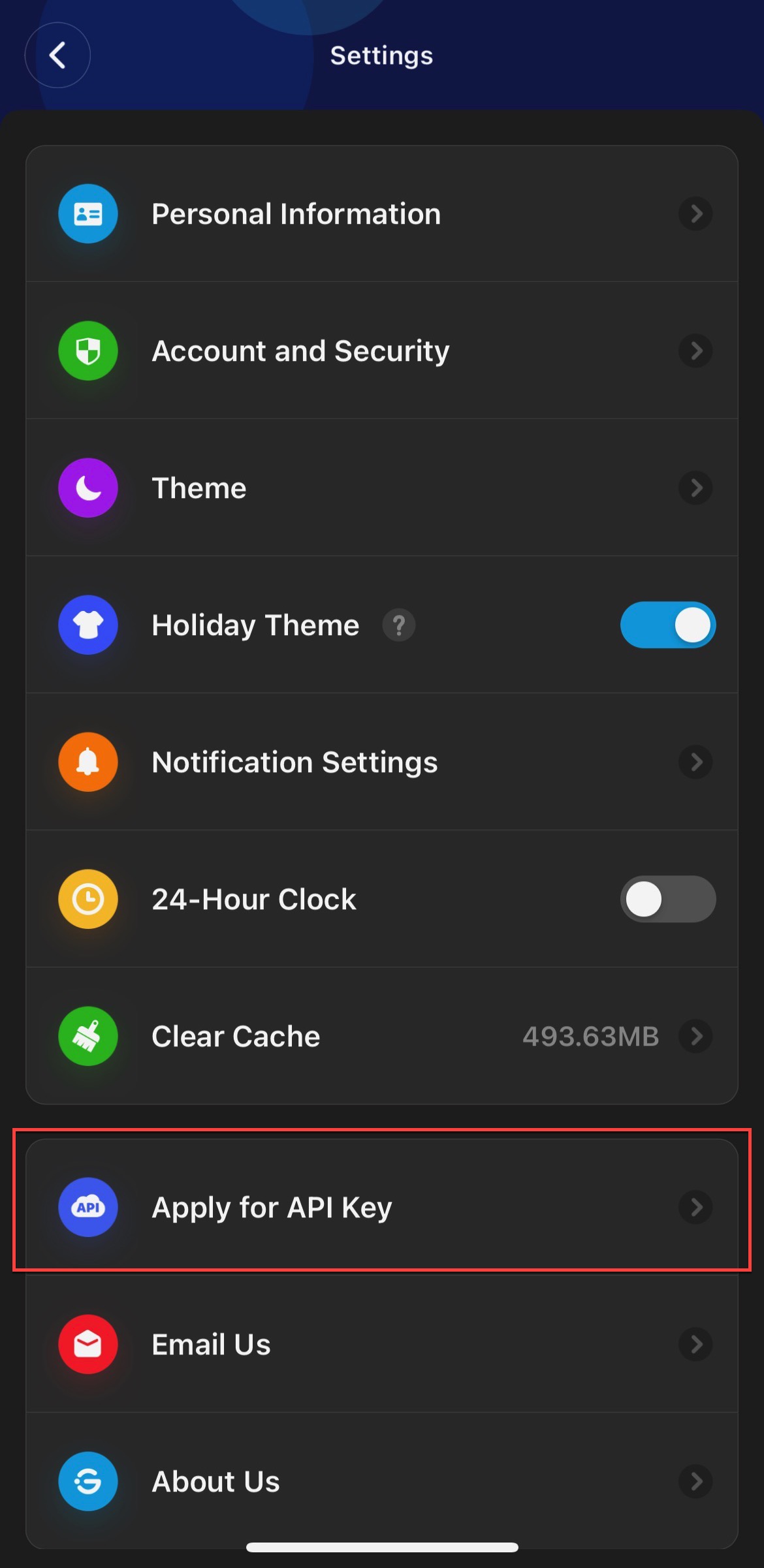
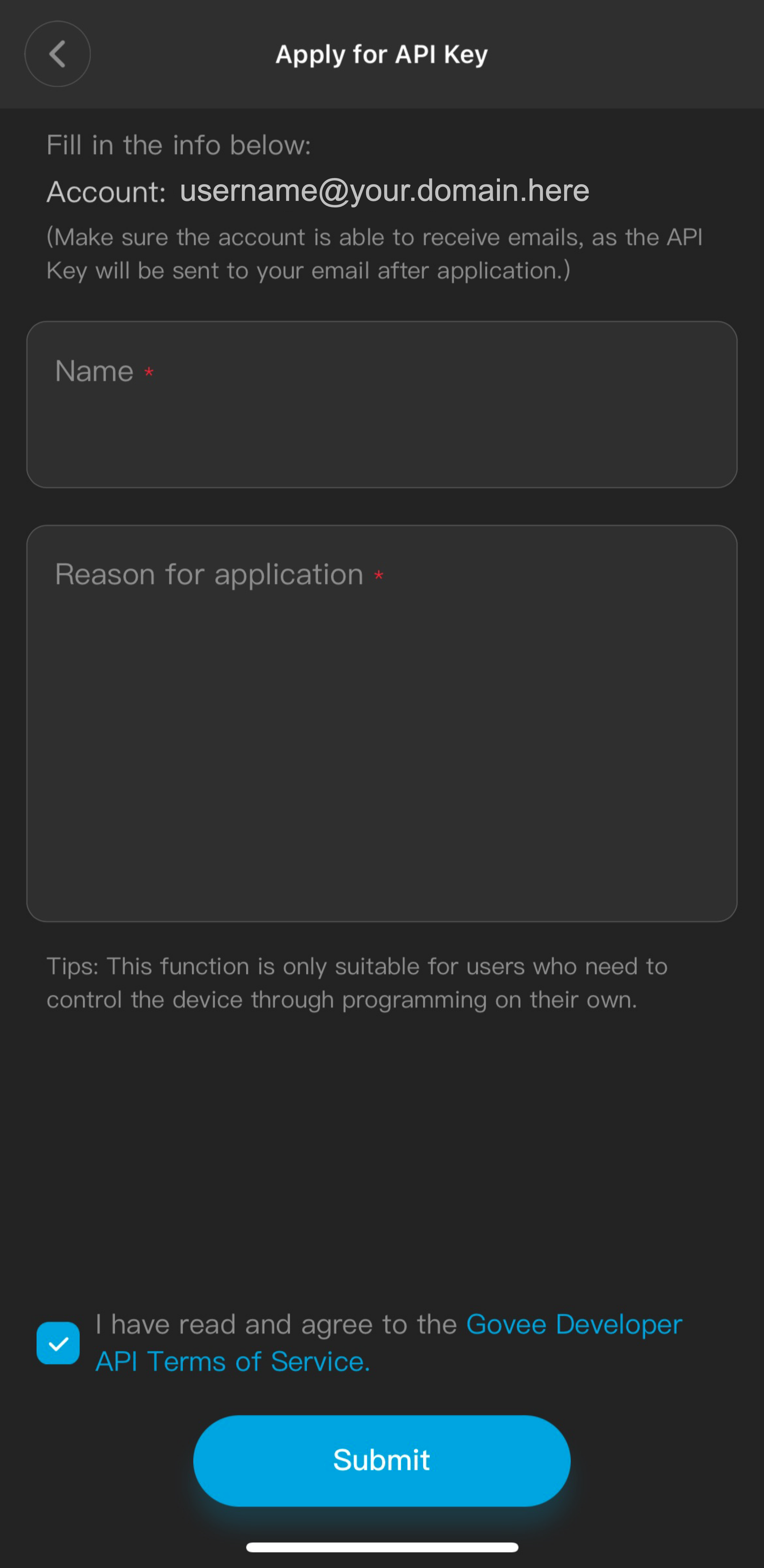
- Fill in the required fields for Name and Reason for application
- Possible reasons include home automation, 3rd party integration, education & research. etc.
- Read the Govee Developer API Terms of Service, then click the checkbox to accept
One Key per Account is AllowedGovee only allows each user to have one valid API Key at a time. Each time you apply for a key, your last key is deleted and will no longer work.
Please be sure you update your API Key in any integrations to avoid service disruption.
- Click Submit
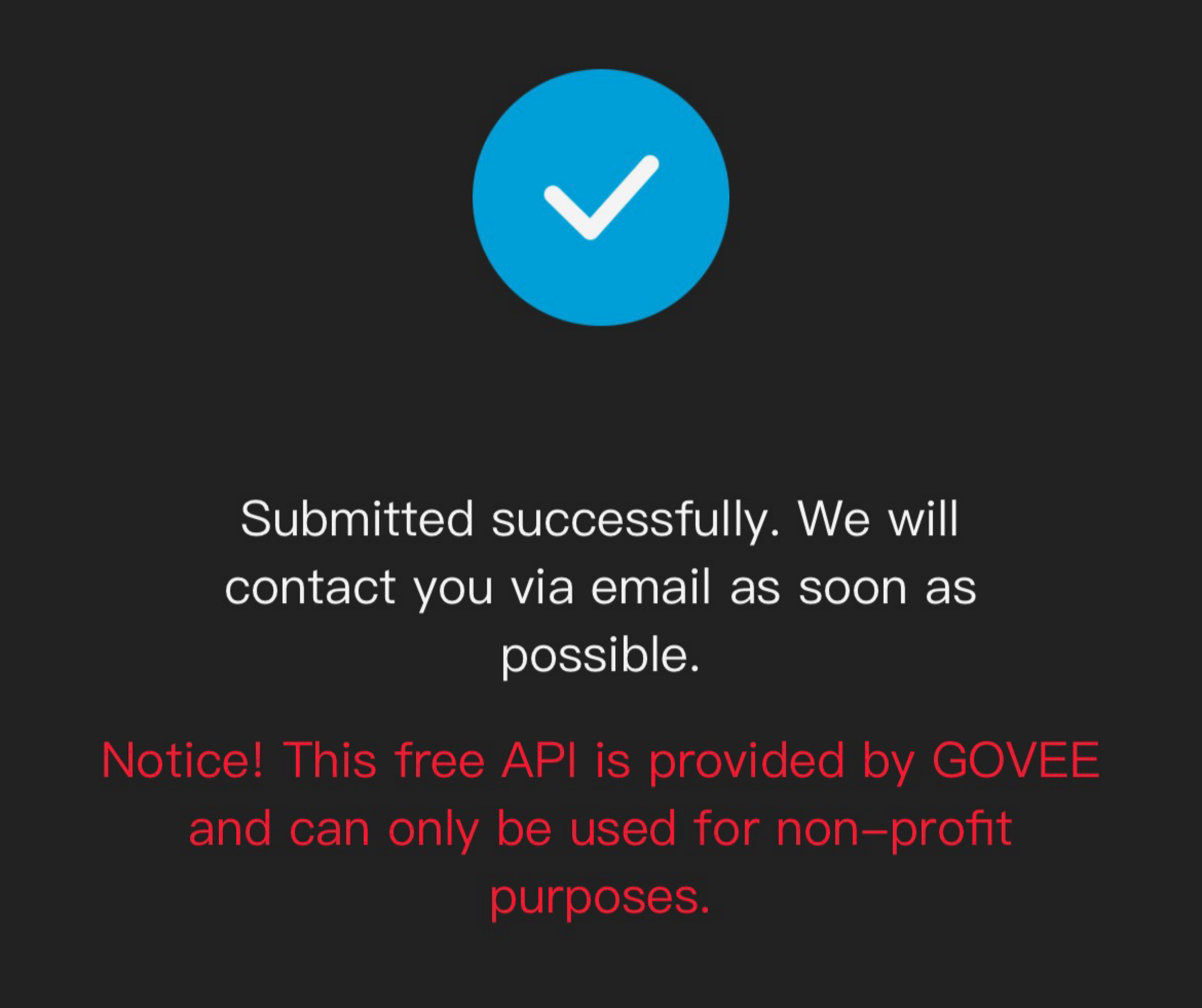
Once you click Submit, you will see the below message. You can check the email account that matches the email address used for your Govee account. Govee will send you a new Govee Developer API Key in an email with additional information.
Requesting a New API Key
Please note that Govee only supports one API Key per user tied to your Gove Home account. The API Keys are sent to your registered email. Keep this API Key safe. If you suspect your API Key is compromised, apply for a new API Key, and a new API Key will be emailed to you, and your previous key will be deleted.